Assign custom keyboard shortcuts to launch programs, control system actions, and automate everyday tasks effortlessly
Assign custom keyboard shortcuts to launch programs, control system actions, and automate everyday tasks effortlessly
Vote (7 votes)
Program license Free
Developer Sweb
Version 4.9
Works under Windows
Vote
(7 votes)
Developer
Sweb
Works under
Windows
Program license
Free
Version
4.9
Pros
- Highly customizable hotkey creation for both keyboard and mouse
- Low resource usage and portable design
- Advanced system and window management functions
- Can manage desktop icons and automate routine tasks
Cons
- Interface lacks modern design and may be confusing at first
- Learning curve for advanced hotkey options
- Development and updates have slowed
Powerful hotkey utility for customizing keyboard and mouse shortcuts in Windows.
Overview of HotkeyP
HotkeyP is a lightweight utility designed to bring advanced hotkey customization to the Windows environment. With a focus on user flexibility, this tool allows the creation of personalized keyboard and mouse shortcuts to automate tasks, launch applications, and control various aspects of the system. HotkeyP stands out for its compact footprint and depth of customization.
Features and Functionality
HotkeyP offers a comprehensive suite of features for users looking to enhance productivity:
- Custom Hotkeys: Assign global hotkeys to launch applications, open documents, or execute commands. Supported mouse button hotkeys add another layer of control.
- System Commands: Directly interact with system functions, such as controlling CD/DVD drive speed, minimizing applications to the tray, managing temporary files, and locking the computer.
- Clipboard and Text Tools: Define hotkeys to paste preset text or display clipboard content, without altering the clipboard’s data.
- Desktop Management: Save and restore desktop icon positions, a valuable feature for users managing multiple display setups or switching resolutions.
- Window Manipulation: Hide windows, minimize them to the tray, or magnify regions of the screen using assigned shortcuts.
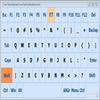
- Enhanced Usability: Features like “Spy” mode help detect and assign the correct codes for mouse or keyboard keys, streamlining the creation of new shortcuts.
User Experience
HotkeyP is lightweight and consumes minimal system resources, making it suitable even for older Windows versions. The interface prioritizes function over aesthetics, focusing on list-based management of hotkeys and clear parameter descriptions. The learning curve is moderate: basic hotkey creation is straightforward, but advanced features may require some exploration for newcomers.
The application supports multiple languages, and provides in-depth descriptions and help within the settings, assisting both novice and advanced users in tailoring hotkeys to their workflow. HotkeyP does not require installation and can be easily run from any directory, making it portable for use on multiple systems.
Performance and Reliability
HotkeyP performs reliably, executing assigned commands instantly without noticeable lag. It remains stable in long-running sessions, with minimal impact on overall system performance. Regular users appreciate the ability to modify or remove hotkeys at any time, providing flexible control as needs change.
Routine updates in the past have added useful new commands, enhancing its practical value. While development has slowed in recent years, the existing feature set remains relevant and useful for modern Windows users.
Summary
HotkeyP excels as a customizable hotkey manager for users who require more than Windows’ default shortcut capabilities. Its modest interface and expansive feature set will appeal especially to power users, while portable execution ensures flexibility. However, some newer users may find the interface dated and initial configuration challenging.
Pros
- Highly customizable hotkey creation for both keyboard and mouse
- Low resource usage and portable design
- Advanced system and window management functions
- Can manage desktop icons and automate routine tasks
Cons
- Interface lacks modern design and may be confusing at first
- Learning curve for advanced hotkey options
- Development and updates have slowed